
You glance down at your Citizen Eco-Drive and … nothing. The hands aren’t moving, the second hand’s frozen, and for a brief moment, you wonder if your watch has entered early retirement. But before you assume it needs a new battery or a costly fix, take a breath.
Eco-Drive watches are designed to last. One of their greatest strengths is their ability to recover from deep power depletion if you know how to wake them up. If your watch has spent too much time in a dark drawer or hasn’t seen the sun in a while, there’s a good chance it just needs a little light and a quick reset.
Let’s walk through how to get your Eco-Drive ticking again and how to keep it running smoothly in the future.
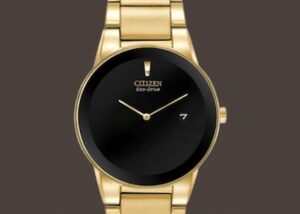
Why Your Eco-Drive Might Have Stopped
Unlike standard quartz watches that rely on disposable batteries, your Eco-Drive runs on light. It converts sunlight or artificial light into energy, storing it in a rechargeable cell. The watch can enter a low-power state when that energy reserve runs low, especially after prolonged darkness.
In this state, the second hand might stop moving altogether or tick only once every two seconds. That’s not a sign of failure. It’s a power-saving mode designed to preserve the watch’s remaining charge.
Before assuming your watch’s weird behavior means there’s a mechanical issue that needs professional watch repair, try this two-step recovery method: full recharge, followed by a reset.
Reset Step 1: Recharge With Direct, Consistent Light
Ambient light won’t cut it for a deeply discharged Eco-Drive. For a meaningful recharge, place the watch dial under intense, direct light. A desk lamp (LED or fluorescent) or a sunny windowsill works well. Just avoid extreme heat. If you’re using sunlight, make sure the watch isn’t behind heavily tinted glass, and don’t leave it in a hot car. Rotate it occasionally to keep the dial fully lit.
Give it time. A fully depleted Eco-Drive may need 24 to 48 hours of exposure to regain a healthy charge. During this process, you might see signs of life like the second hand twitching or slowly resuming motion. That’s a promising indicator, but don’t rush it. Let the charge build fully before moving on to the second step.
Step 2: Perform a System Reset (If Necessary)
If the watch still isn’t responding properly after a thorough recharge, it may need a reset. This process helps the internal circuitry resynchronize, often bringing the hands back to life.
Here’s a general method that works for many Eco-Drive models:
- Pull the crown out to the time-setting position.
- Press and hold all buttons (if your model has them) for about 10 seconds.
- Release the buttons, then push the crown back in.
The hands may jump back into motion, sometimes dramatically. At this point, you can reset the time and date as needed.
Keep in mind that not all Eco-Drives have the same reset procedure. If this doesn’t work, check your model number online or refer to Citizen’s official support site for model-specific instructions.
Three Signs Your Eco-Drive Needs a Charge
Not sure whether your watch is low on energy or experiencing a deeper issue? Here are three red flags that typically point to a depleted charge:
- The second hand is ticking every two seconds. This less-frequent tick is your Eco-Drive’s way of saying, “Feed me light.”
- The watch is running slow or skipping time. Incorrect timekeeping is another classic low-power symptom.
- There’s no movement at all. Usually, a non-moving movement is the result of deep discharge, not a death sentence. Before you panic because your watch has gone dark, give it some light.
Long-Term Tips to Keep It Running
Eco-Drives are famously low-maintenance, but they do have one crucial requirement: light. Wearing your watch regularly outdoors or near a window is often enough to keep the battery healthy.
For storage, avoid dark drawers or closed boxes unless they have windows. If you’re not planning to wear the watch for a while, give it a sunbath every few weeks to prevent deep discharge.
Worried about overcharging? Don’t be. Eco-Drives are smart. They regulate their intake and stop charging when full.
When to Seek Professional Assistance
If your watch remains unresponsive after a recharge and reset, the issue may go deeper. It could be a failed capacitor or a problem with the movement. In that case, it’s time to contact a technician familiar with Citizen Eco-Drive repair. Let them know you tried the two-step reset and it didn’t solve the problem, and they can take it from there.
A qualified service professional can often replace the internal cell or recalibrate the movement without replacing the entire watch. This might be especially important if your timepiece holds sentimental value.
Your Watch (Probably) Isn’t Broken—It’s Just in Hibernation
Eco-Drives are built for endurance, not drama. They don’t usually stop unless they’re trying to save power. With a bit of light and a short reset, most models will get right back to work.
So if your watch looks lifeless, don’t panic. It probably just needs a little sunlight and patience. After all, it’s a solar-powered watch, so it requires that solar love. Give it what it craves, and it’ll be ticking again in no time.